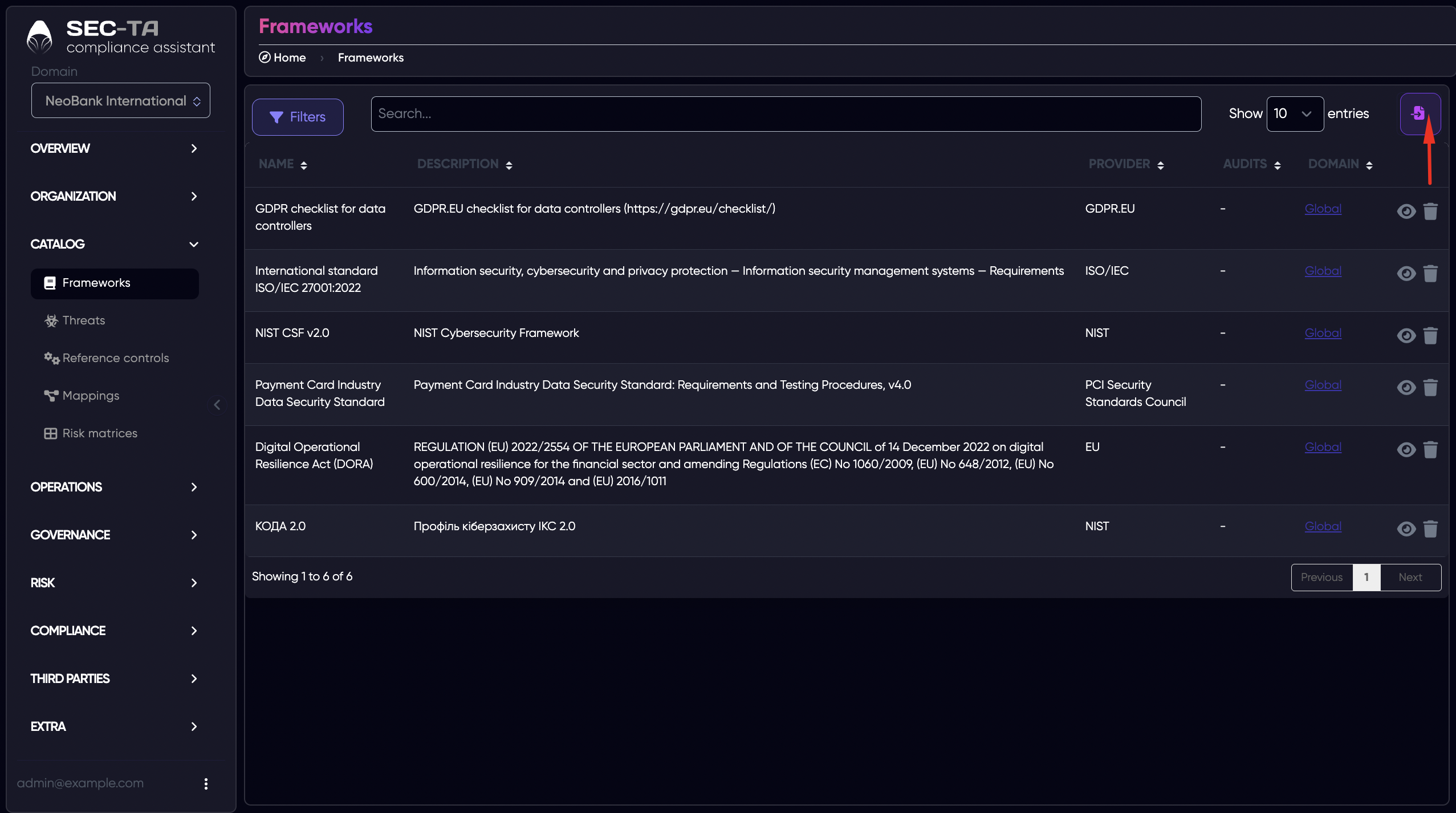
Page Frameworks provides an overview of all frameworks available in the system. From this page, users can also add new frameworks, edit existing ones, or remove outdated frameworks.
¶ Add Framework
Compliance Assistant allows you to add new frameworks. You can download them from the library store or upload your own file (Add your own library). Only the administrator can download libraries.
¶ Add Framework from Library Store
To add a framework from the library, use the search bar at the top of the page. Enter the name or part of the name of the framework you want to add.
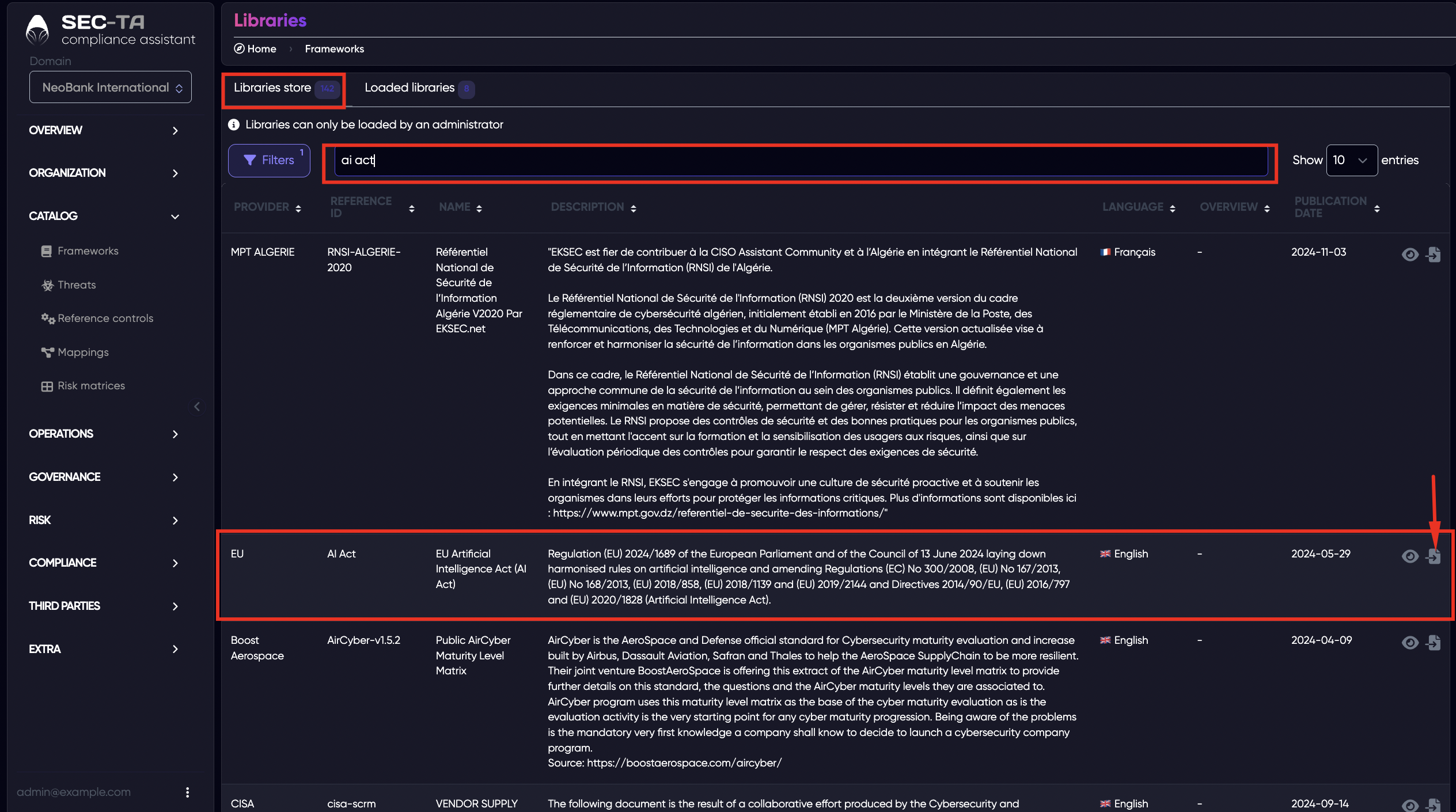
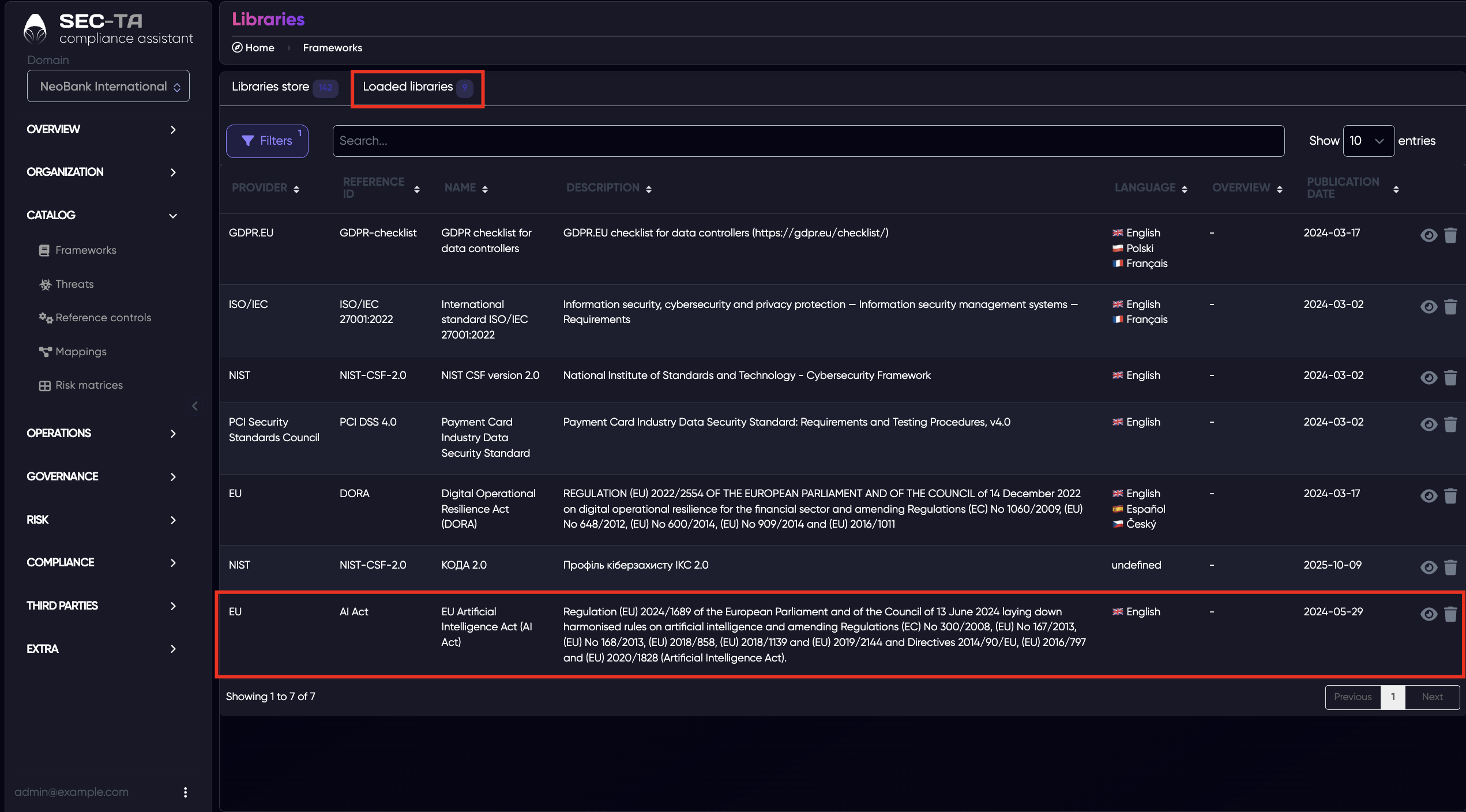
Once the desired framework appears in the list, select it and choose the option to load it into your workspace. After loading, the framework will appear under the Loaded libraries tab.
¶ Add Custom Framework
To add a custom framework, scroll down page Library Store to the section “Add your own library.” Here, you can upload your own framework file in YAML or XLSX format.
If you’re using the XLSX format, you can download the starter template by clicking “Download XLSX starter template” on the right-hand side. This template helps you fill in the required metadata, framework sections, and requirements correctly before importing.
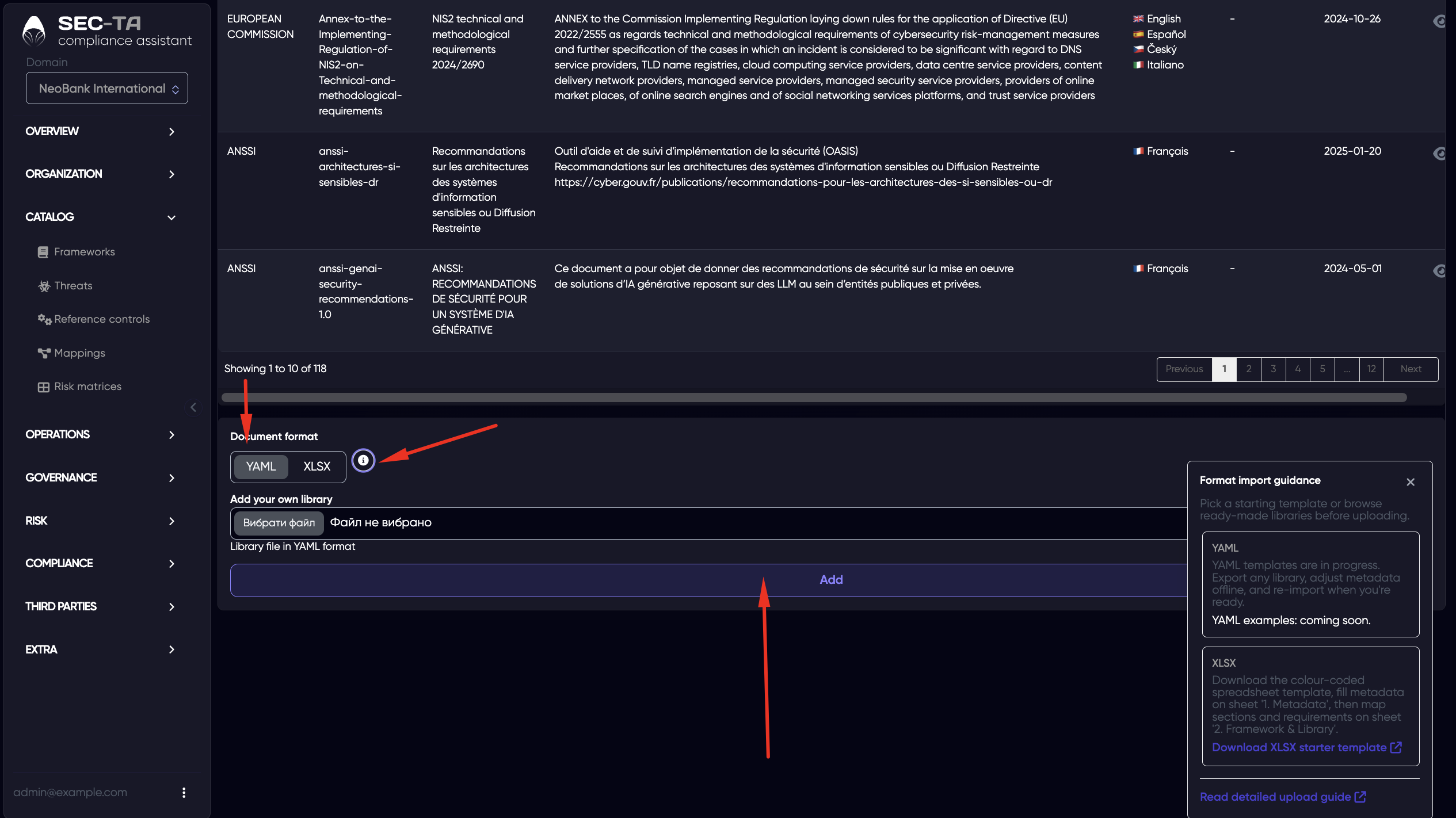
After successful upload, your custom framework will appear in the list and can be used like any other standard framework.
¶ Loaded Libraries
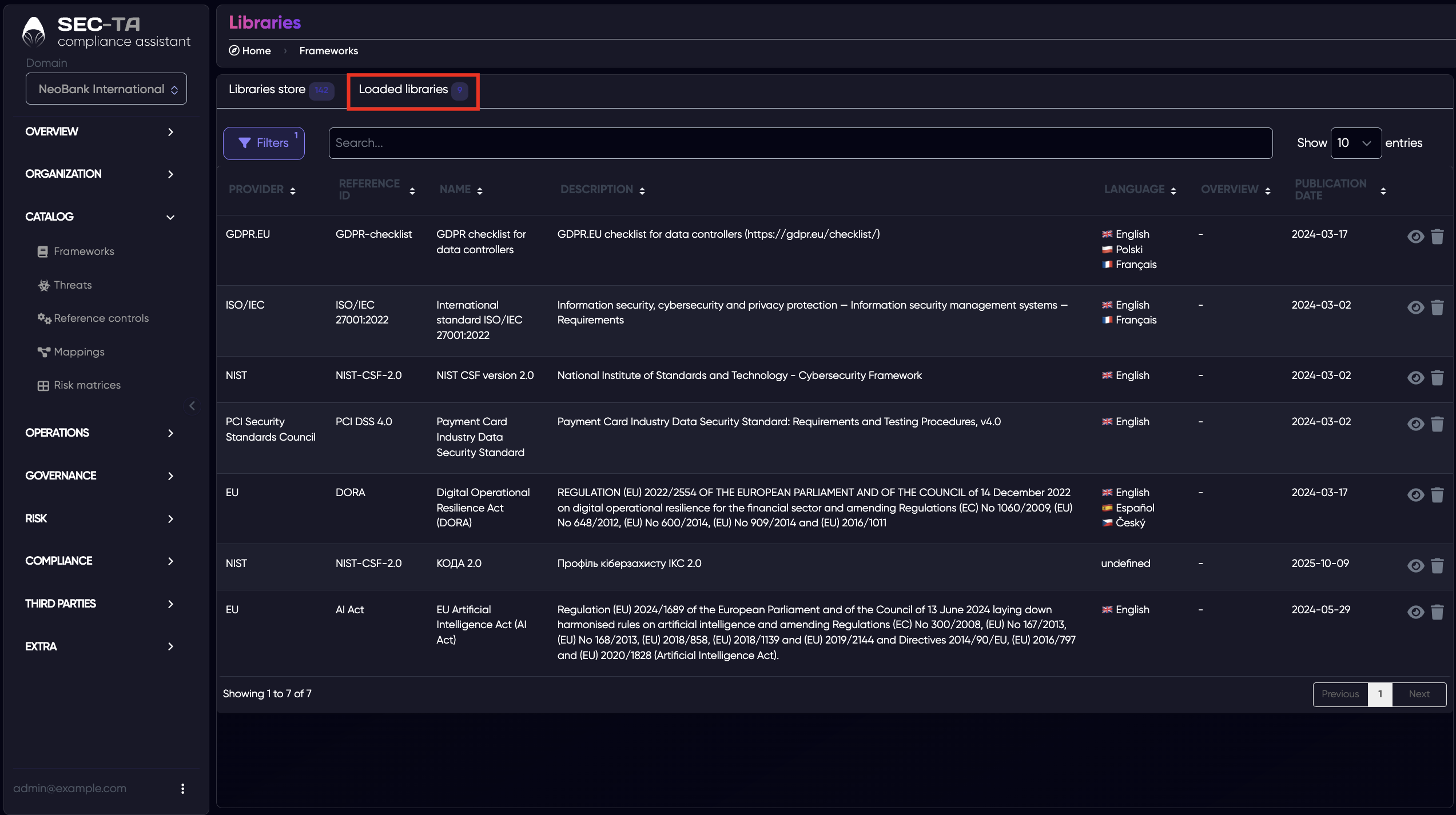
On the Loaded libraries page, you can see all the frameworks that have already been imported or added to your workspace.
¶ Review Framework
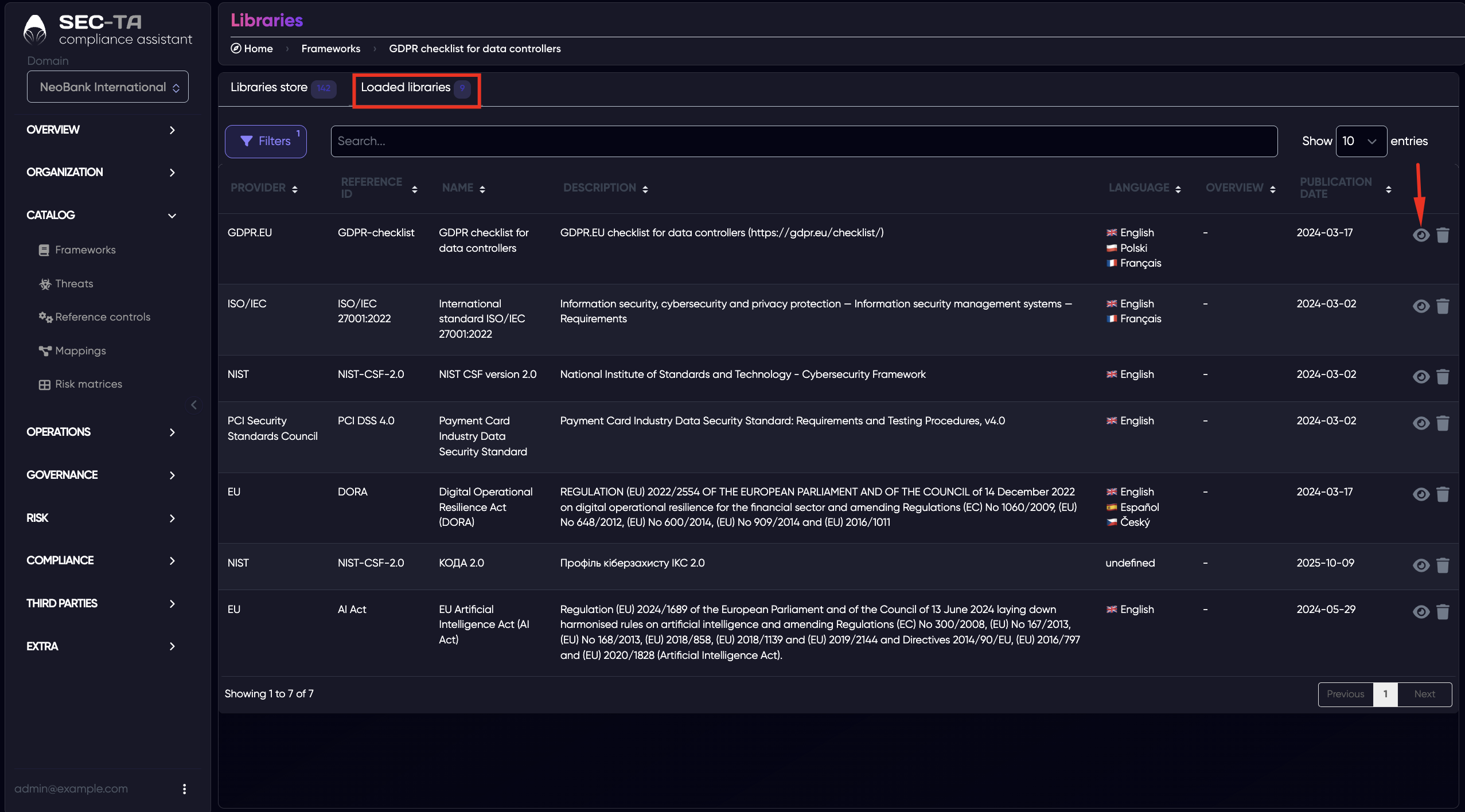
By clicking the eye icon next to a framework, you can view its detailed structure and contents. This opens the framework viewer, where you can explore all the elements included in that framework — such as categories, subcategories, controls.
It’s especially useful when comparing multiple frameworks or reviewing a custom framework before using it in an assessment.
¶ Delete Framework
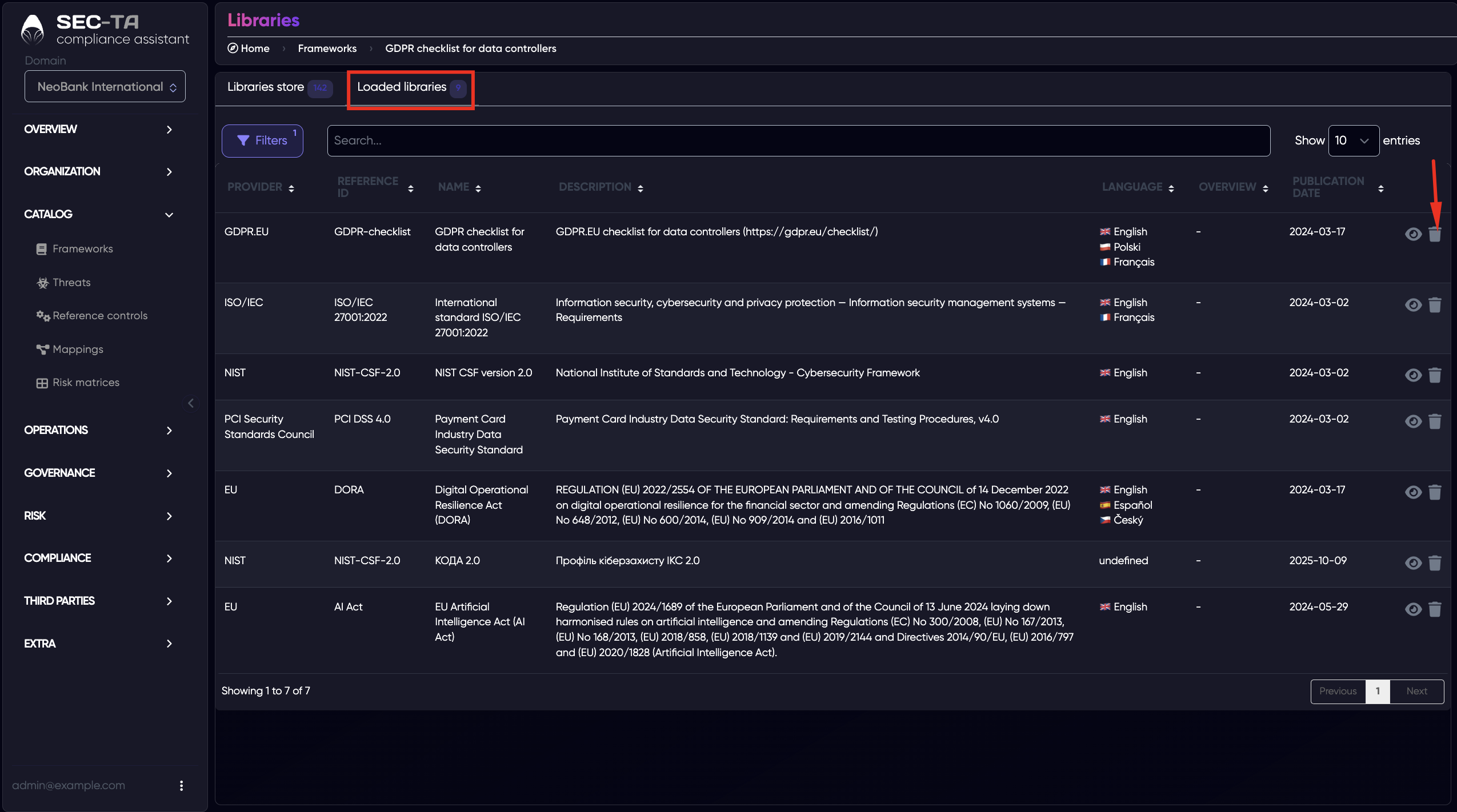
When you click the trash bin icon next to a framework, a confirmation window appears to ensure that you really want to delete it.
The message specifies the framework name and shows how the deletion might impact related data — such as:
- Compliance assessments
- Risk assessments
- Dependent libraries
- Total references
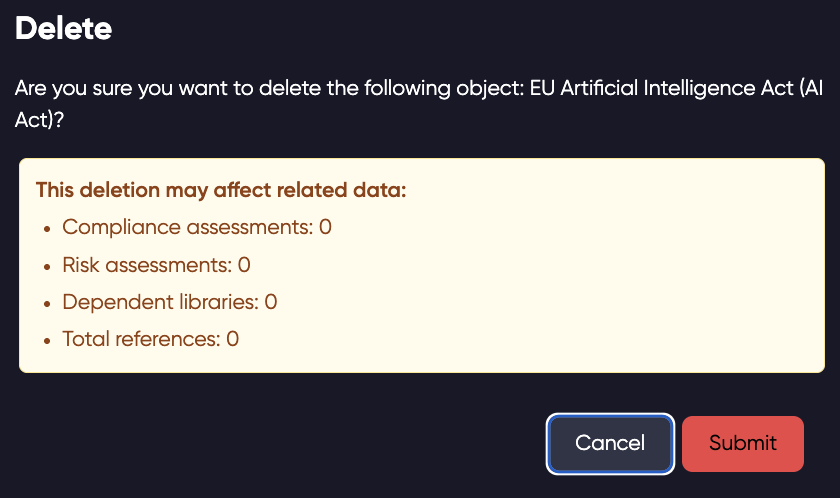
If any of these values are greater than zero, it means the framework is being used elsewhere, and deleting it could affect those linked elements.
To proceed, click Submit to confirm the deletion, or Cancel to keep the framework. This step ensures that no important data or dependencies are removed accidentally.