¶ Add Perimeter
Perimeter - refers to what exactly is being verified or assessed within a given domain.
It can include:
- A specific information system (e.g., accounting system, CRM)
- A business process (e.g., access management)
- An office or branch
A single domain may contain several perimeters for convenient structuring. If the audit covers the entire organization, a single general perimeter can be created — for example, “Overall Organizational Activities.” This helps formally define the scope of the audit but does not necessarily require breaking it into parts.
When perimeters are needed:
- When the audit targets a specific department, process, or IT system
- When it is necessary to assess risks for a particular project or service
- When separate evaluations are required for different areas of activity (e.g., “Financial Systems,” “Marketing,” “Kyiv Office”)
You can add a perimeter to define what is being assessed or monitored within a domain.
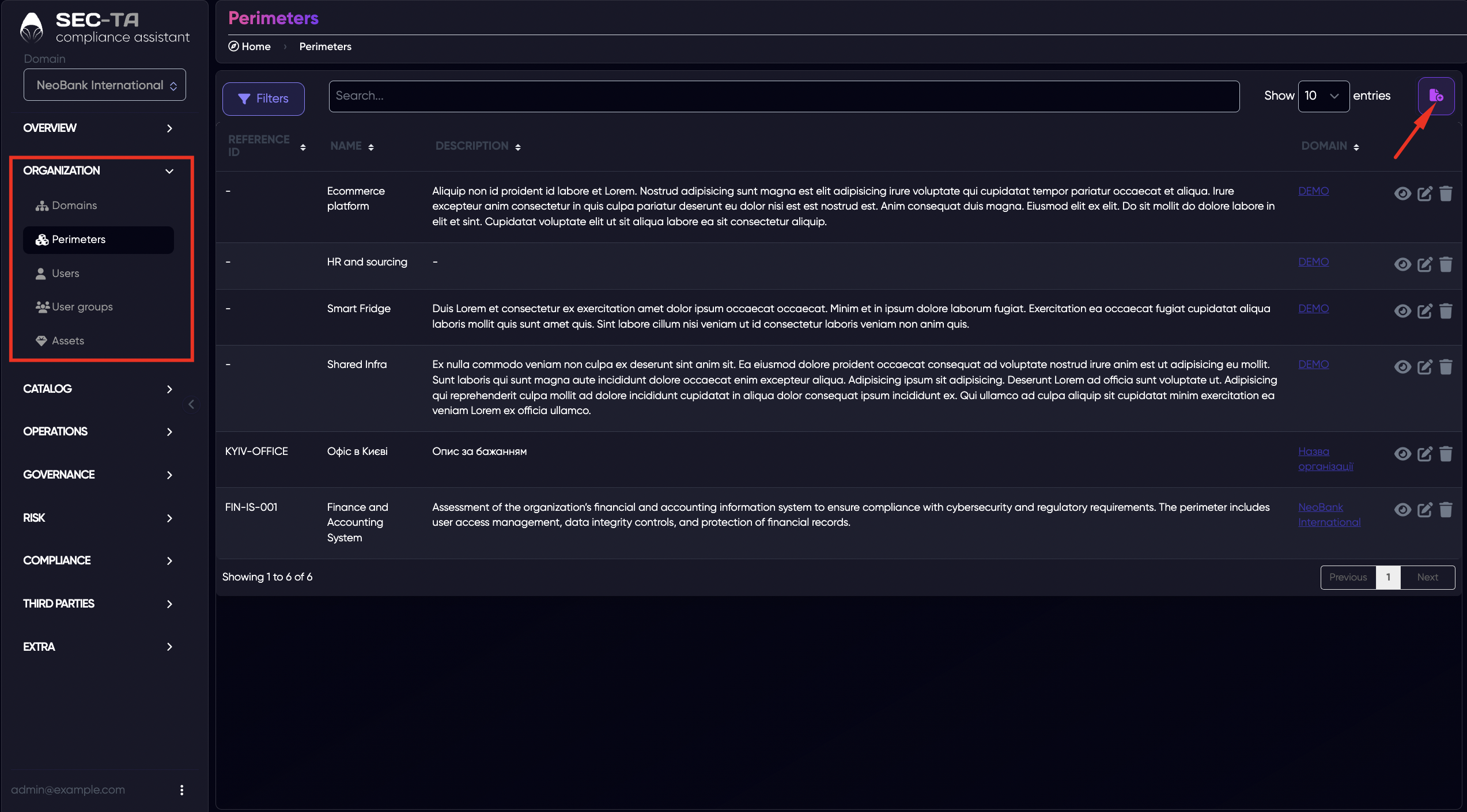
Next, a form appears where you should enter information about the perimeter.
Field descriptions:
Name (required field) – the name of the perimeter being added.
Description – additional information about the perimeter, if necessary.
Domain - indicates which domain this perimeter belongs to.
Reference ID – an optional field that allows specifying a custom unique code or identifier for the perimeter.
Status – indicates the stage of the assessed object (e.g., system, project, or department):
Design — something that has not yet been implemented (planned).
Development — currently in the process of being created.
Production — already operating within the organization (in active use).
Decommissioning — being prepared for closure or replacement.
Discontinued — officially no longer in use but may still be retained for reference.
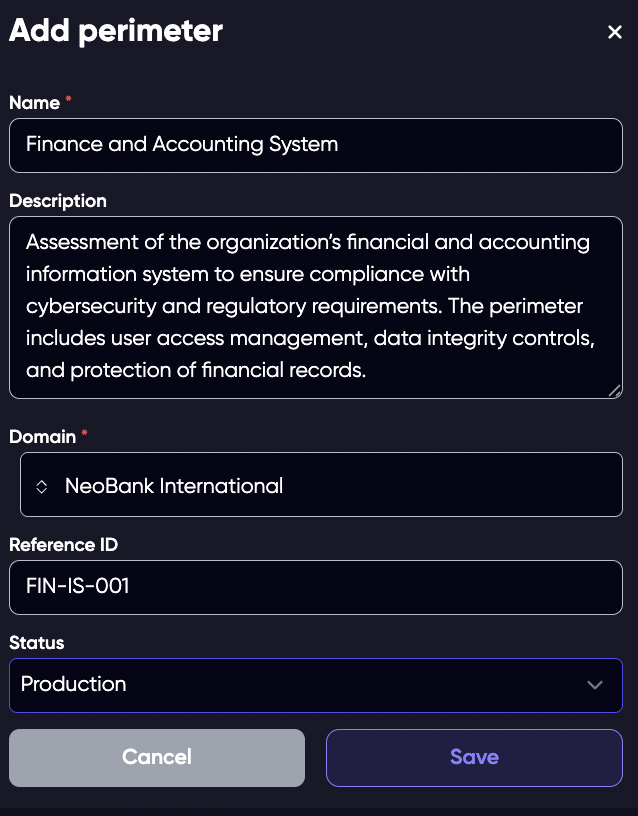
Click Save, and the perimeter will appear in the list.
¶ Edit Perimeter
You can edit the existing domain if needed.
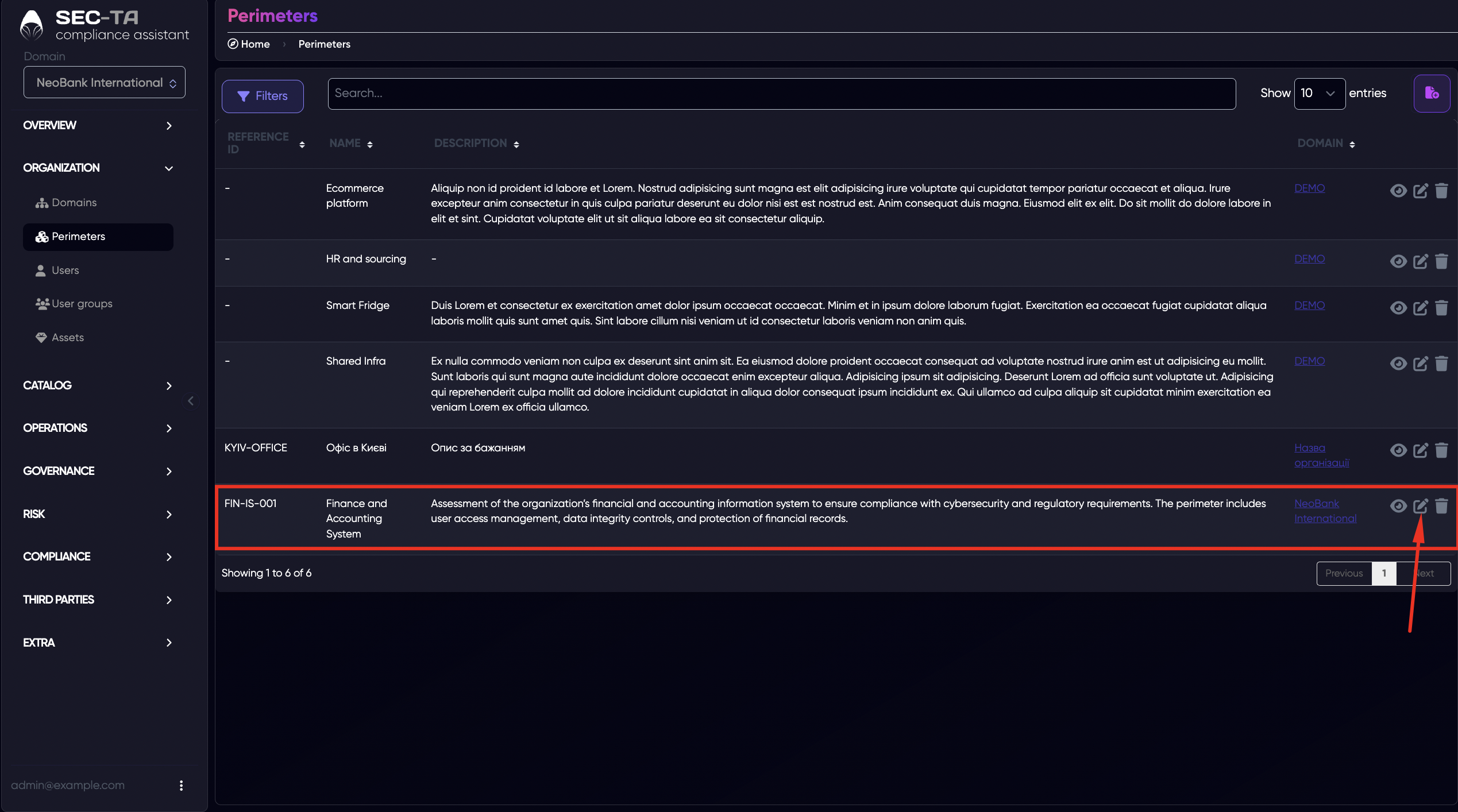
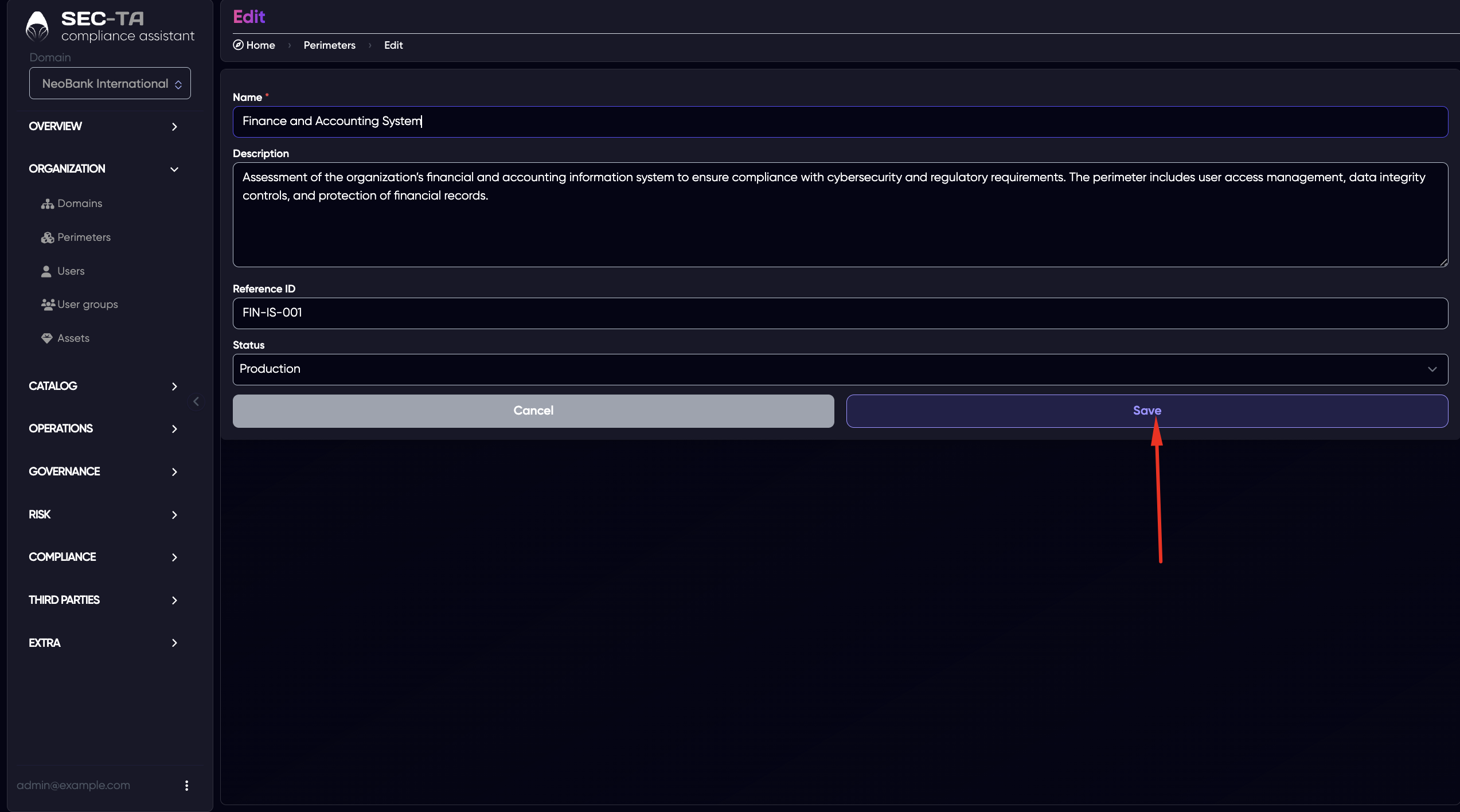
The editing page will open next. After making the changes, click Save.
¶ Delete Perimeter
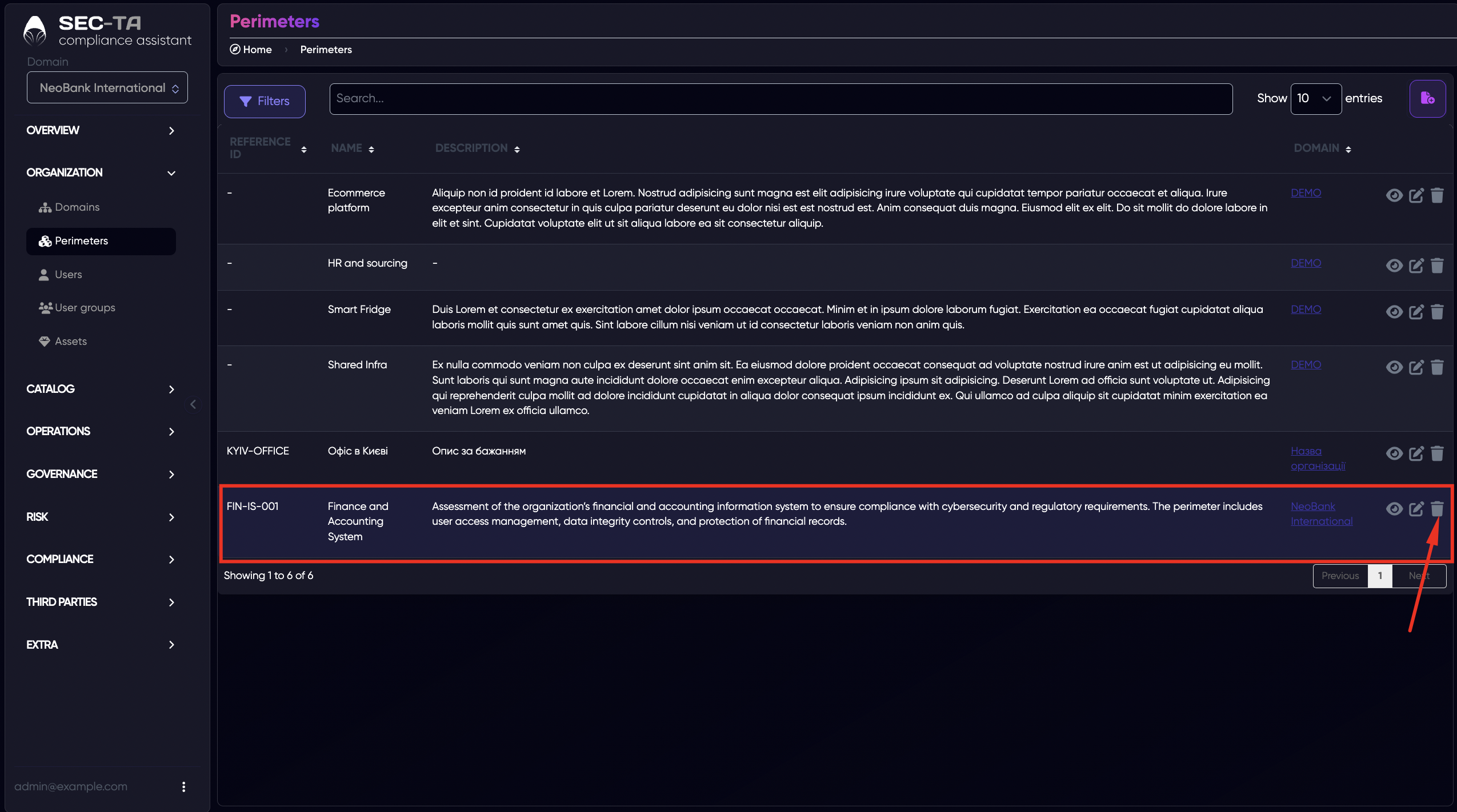
If a perimeter is no longer needed, you can delete it from the system. This action permanently removes the selected perimeter and all associated data, such as configurations, assigned users, and settings.
Use this option carefully — deletion should only be performed when the perimeter is no longer in use or has been replaced by another one.
Before deleting, make sure that no important audit or compliance data remains linked to the perimeter.
A confirmation pop-up window will appear next.
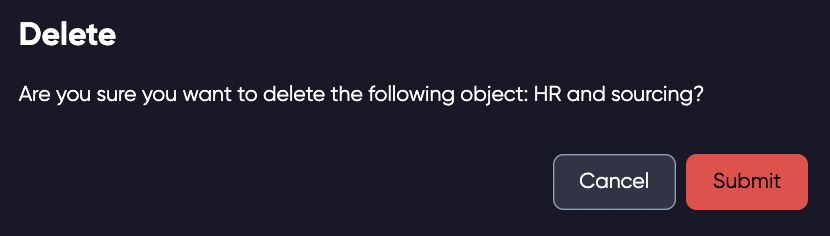
Click Submit if you are sure you want to delete the perimeter.